Find your apps
Browse running and shut-down simulators in one library. Recognize apps by their names, versions, bundle identifiers, and icons, even when the simulator isn't running.

Find and open app data folders.
Find your iOS Simulator app data in seconds. Open containers in Finder, copy paths, and reach running simulators right from your Mac's menu bar.
SimPath is a focused macOS utility that helps you spend less time searching for simulator folders. Choose a simulator, find your app, and get straight to its files.
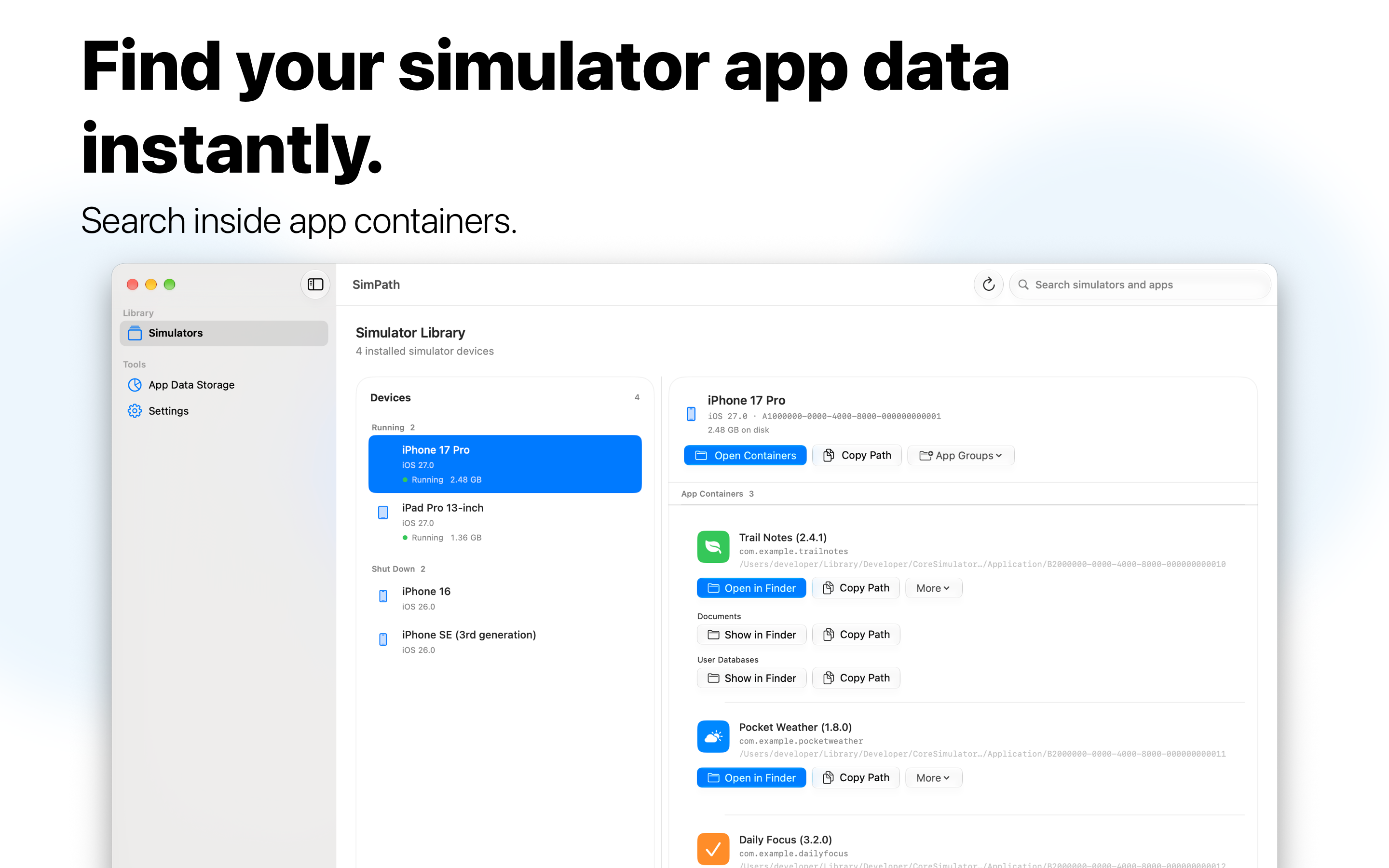
Browse running and shut-down simulators in one library. Recognize apps by their names, versions, bundle identifiers, and icons, even when the simulator isn't running.
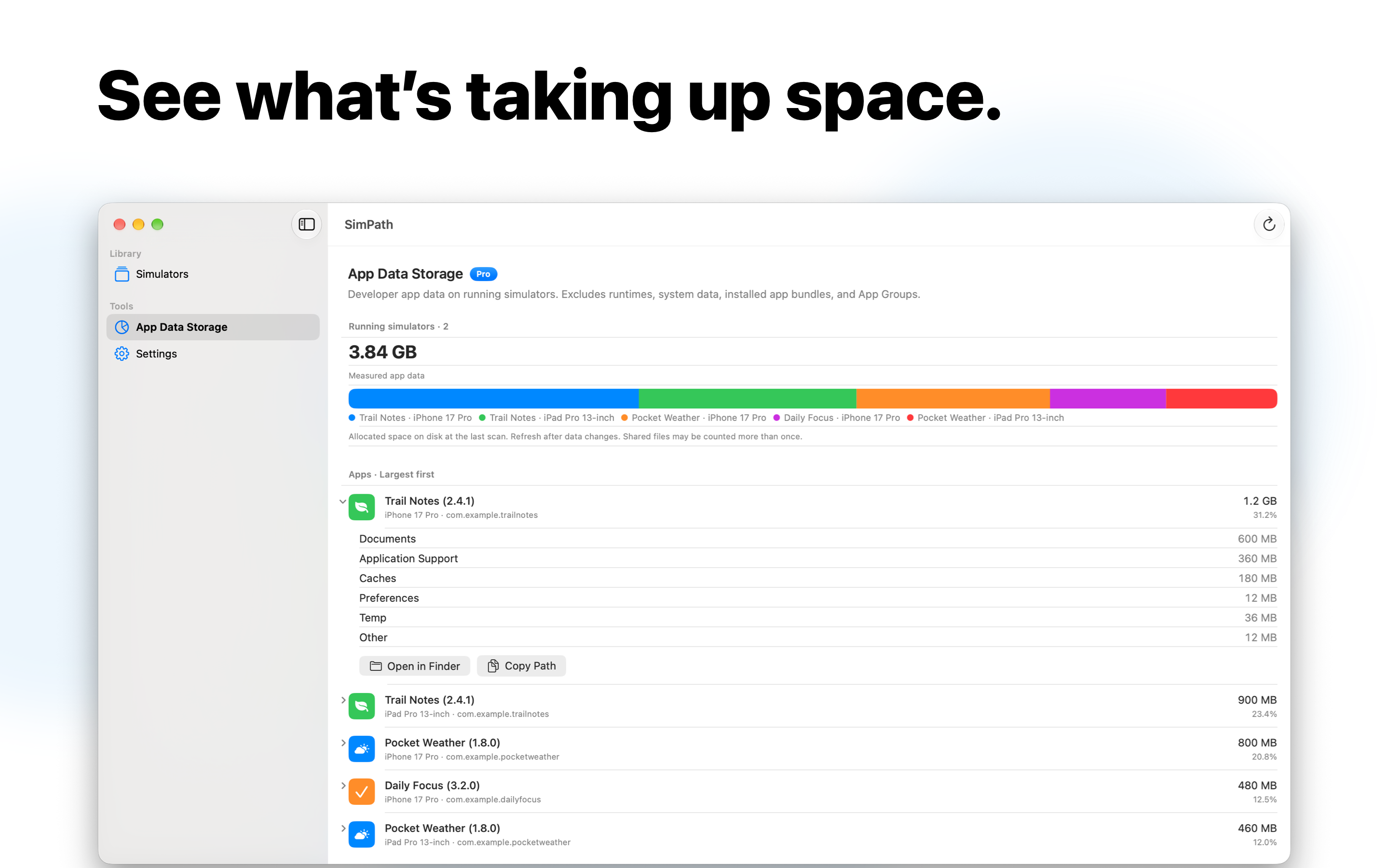
Jump straight to an app's data container in Finder or copy its path for your development workflow. See folder sizes for running simulators and refresh the library whenever you need to.
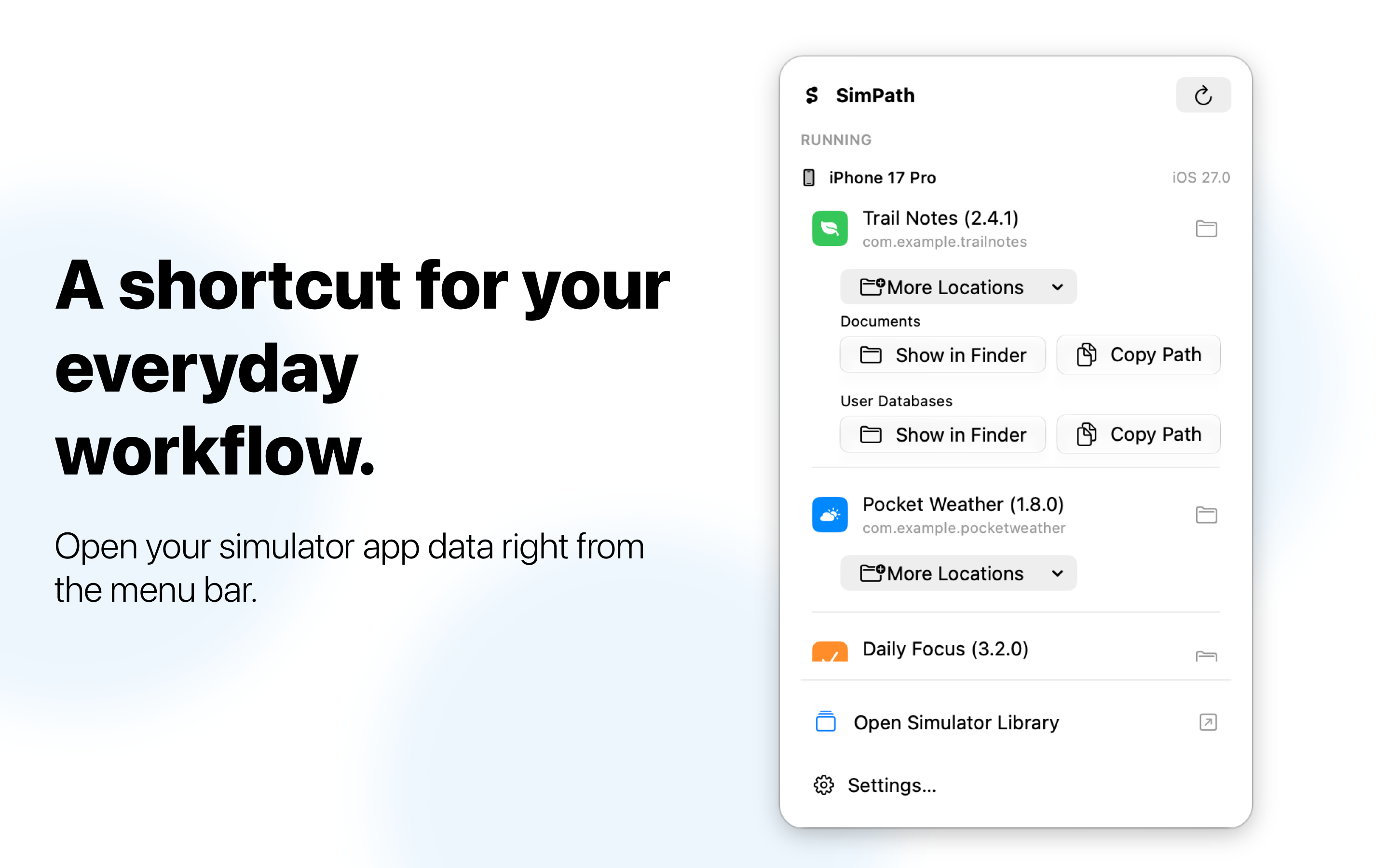
Use the menu-bar popover to quickly access running simulators and their installed apps. Open the full Simulator Library for shut-down devices, settings, and more.
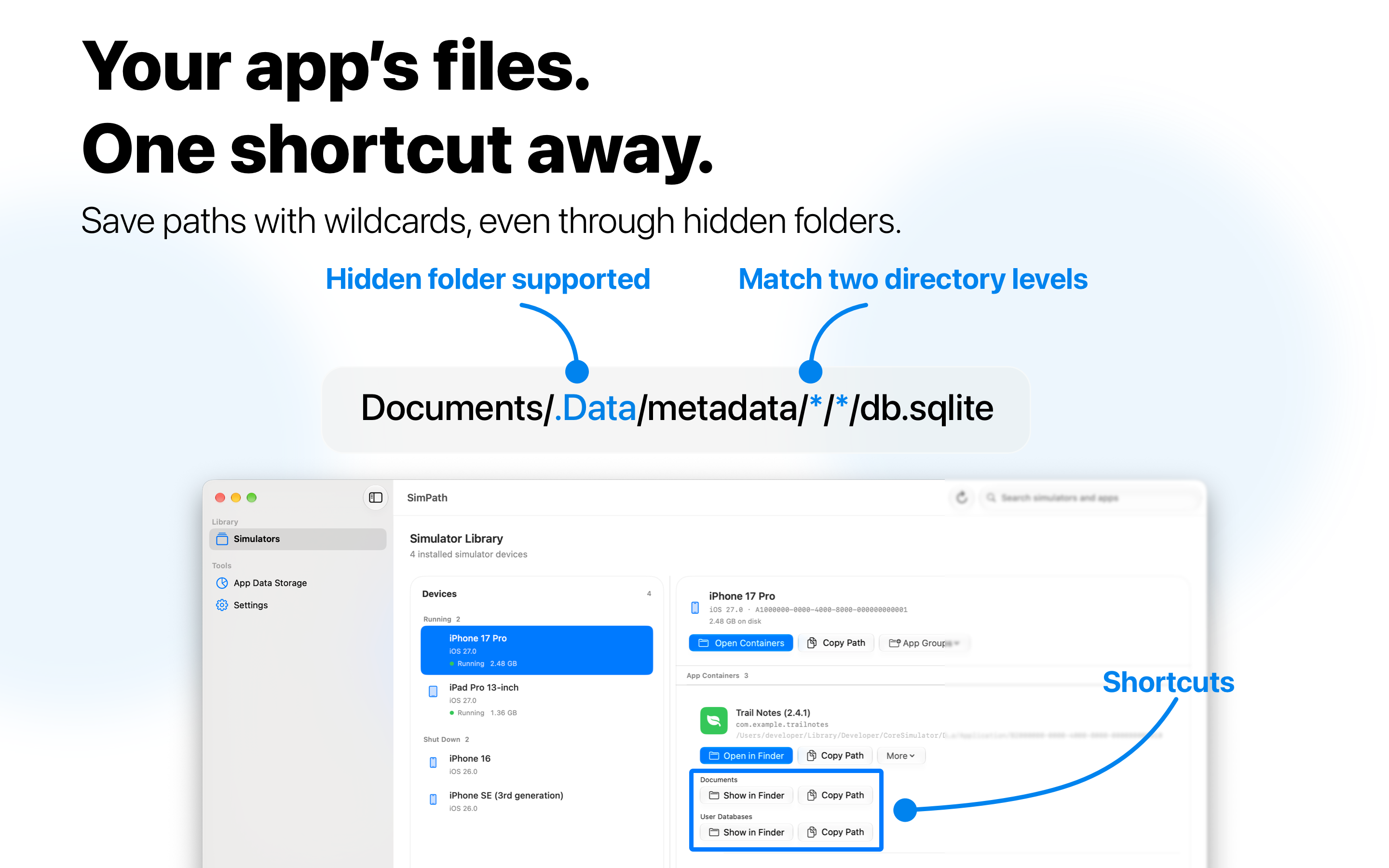
Unlock additional shortcuts with a one-time purchase.
Grant access to your CoreSimulator folder through the macOS folder picker. SimPath remembers your selection and lets you change or remove access whenever you want.
SimPath never modifies your simulator data.
Compatible with simulator data created by Xcode 26 and Xcode 27.
Spend less time searching for simulator folders.
Get SimPath for your Mac. Pro adds more shortcuts with a one-time purchase.
